Mean Hamster SoftwareMean Hamster
← Products
OS

HamsterOS

Coming November 2026Milestone 63

FreeDOS-backed boot · VM86 DOS prompt · shared fonts · 386+ / 2 MB

A complete 32-bit desktop OS on a single 1.44 MB floppy. The current master image boots through a trimmed FreeDOS wrapper, launches the 32-bit HamsterOS kernel with HAMLOAD.EXE, and runs a real windowed desktop on 386/486-era hardware. It can install or upgrade a bootable ATA hard disk from the floppy boot menu while keeping C: as a real DOS disk that auto-launches HamsterOS.

Press

HamsterOS in the press

Hackaday

1.44 MB desktop coverage

Donald Papp's June 29, 2026 feature covers the floppy desktop, built-in apps, hard-disk install path, DOS support, and HamsterWeazle.

Read the Hackaday feature →

Tom's Hardware

Retro OS for 386-era PCs

Bruno Ferreira's June 30, 2026 article spotlights HamsterOS as a 32-bit GUI operating system on a single 1.44 MB floppy, with DOS software support and practical utilities for older machines.

Read the Tom's Hardware feature →

Screenshots

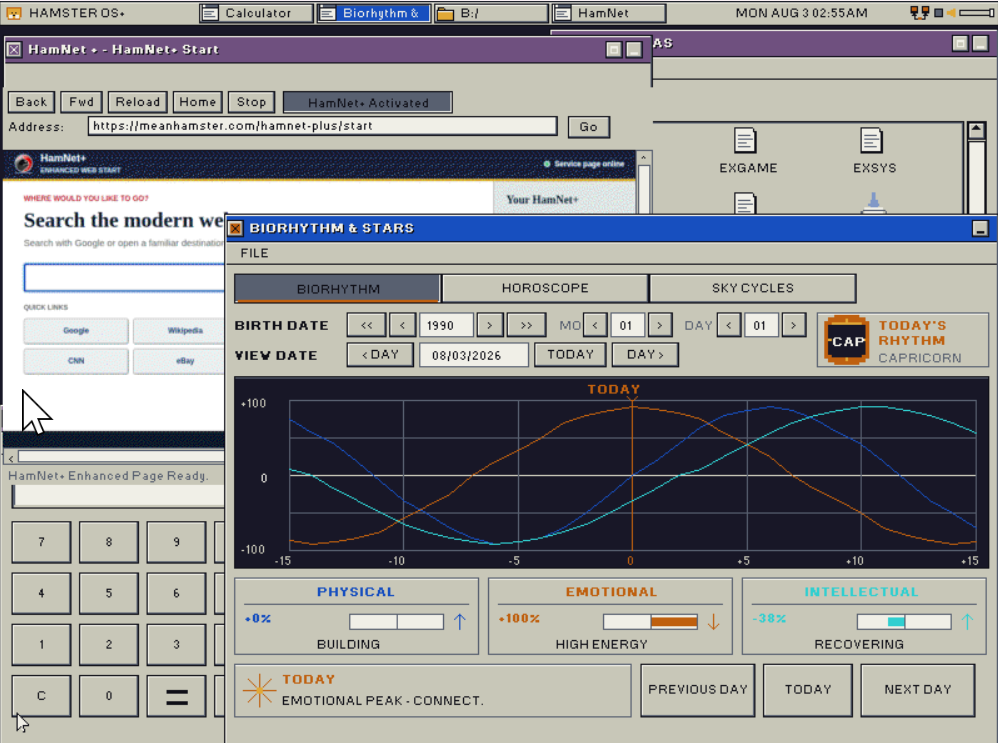
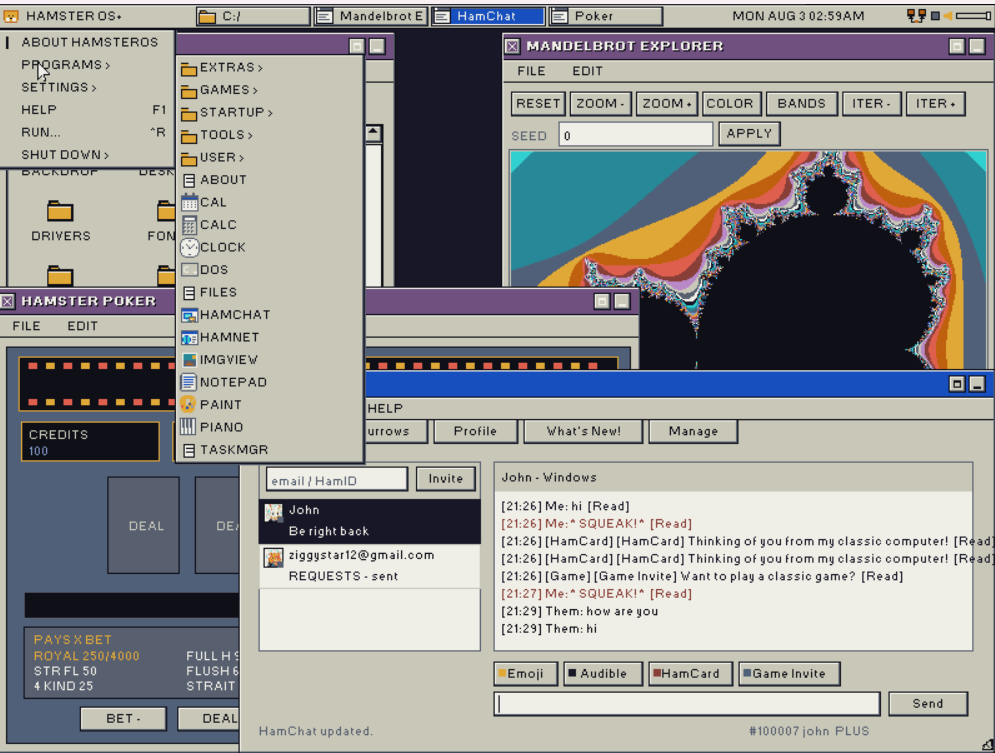
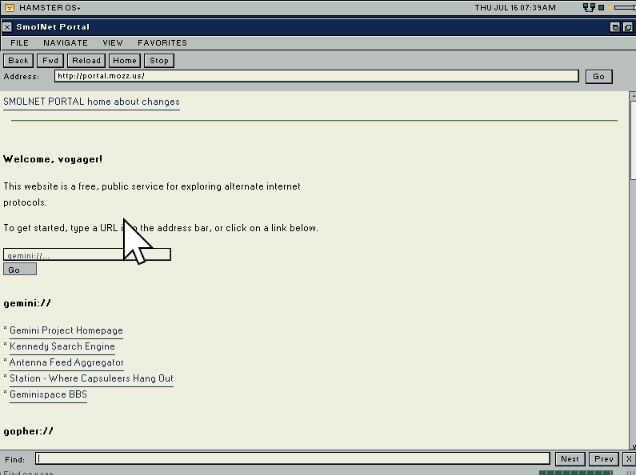
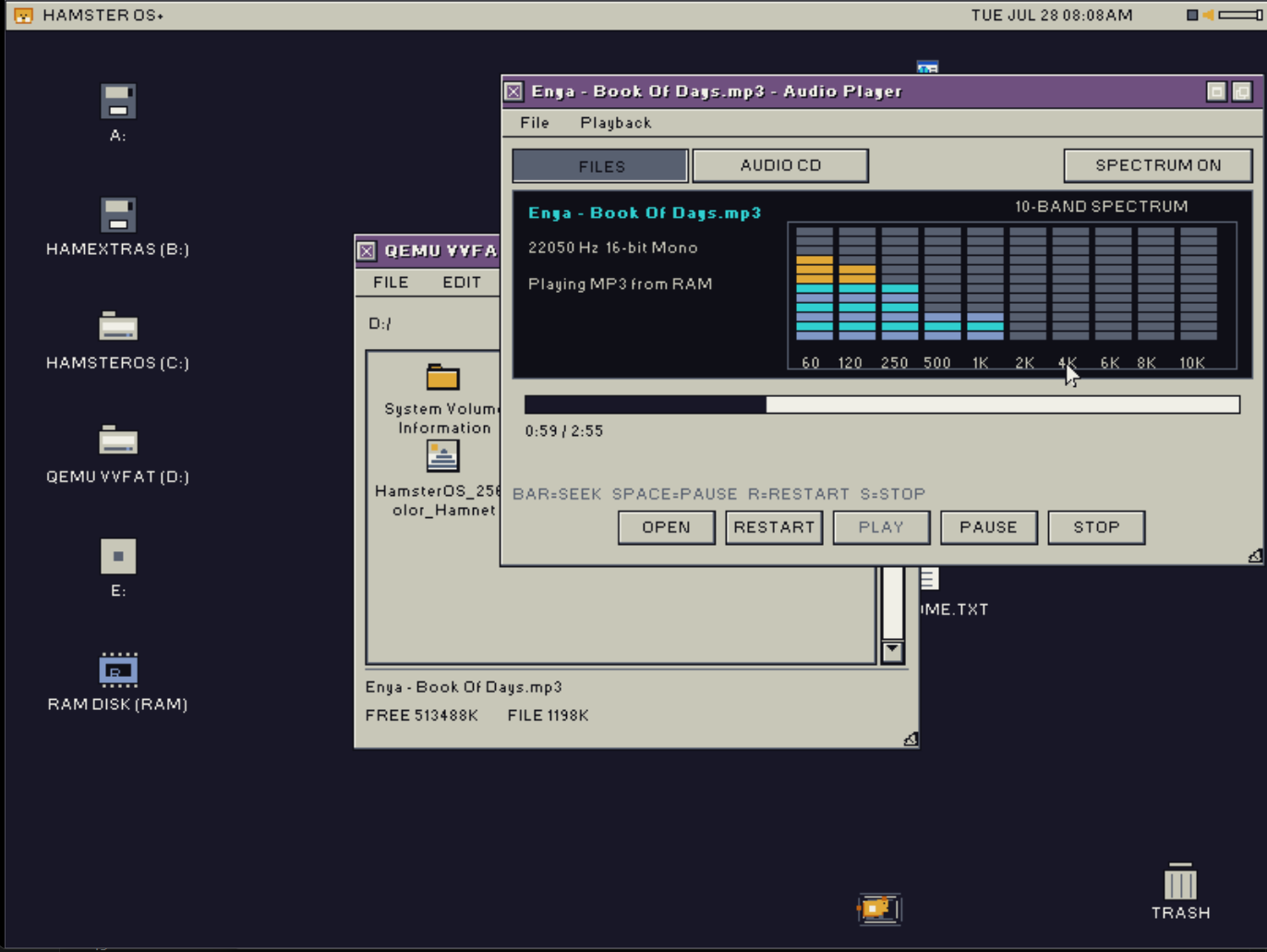
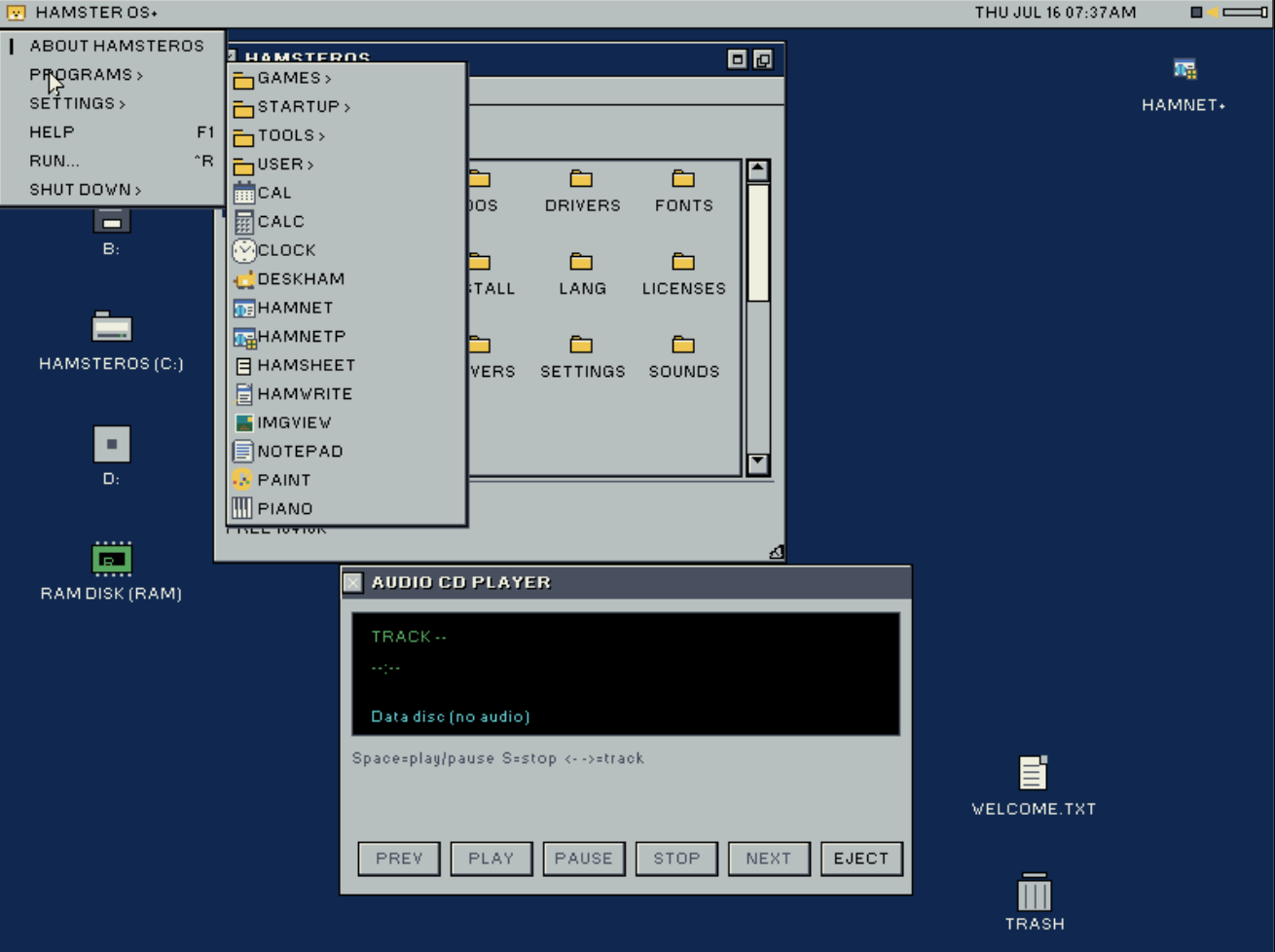
HamsterOS desktop showing CD Player and Tools folder

Desktop with CD Player and Tools

HamsterOS booting

Boot screen

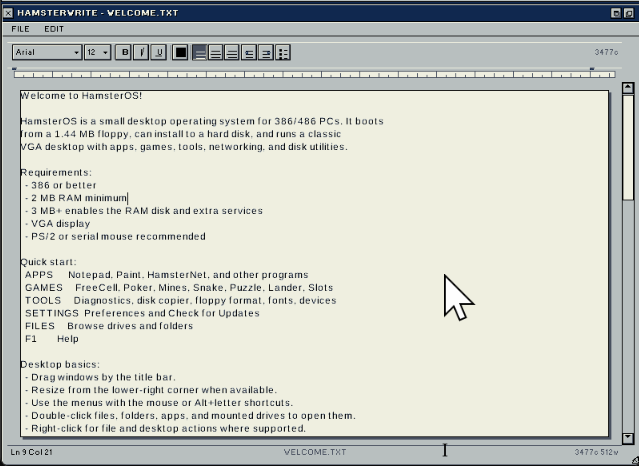
HamsterOS welcome screen and file browser

Welcome screen and file browser

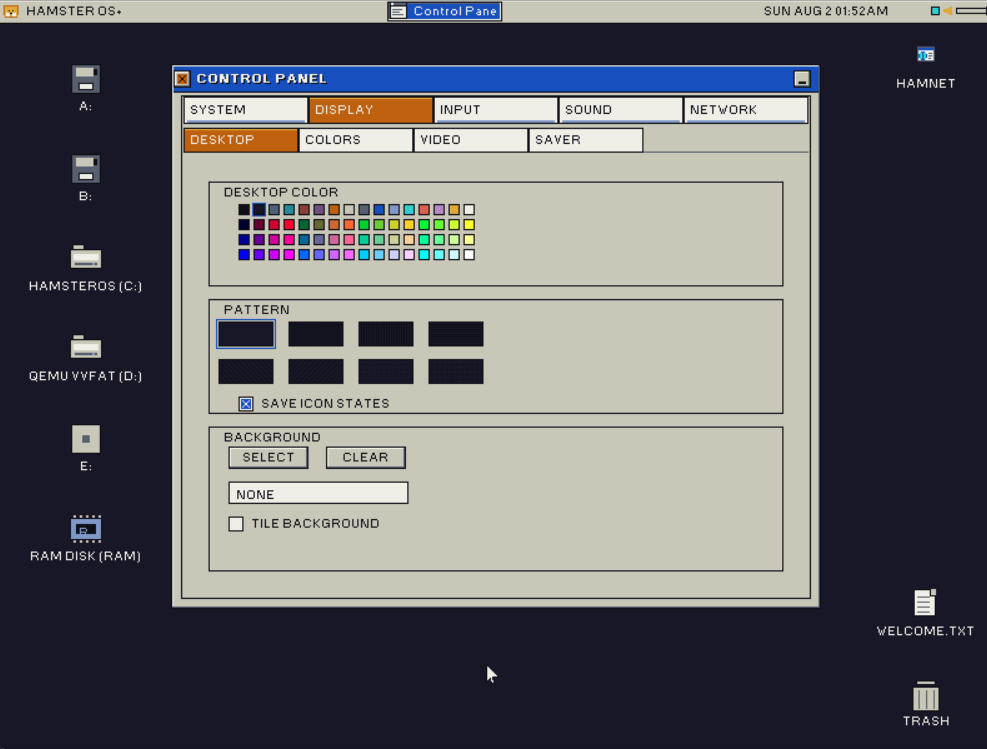
HamsterOS desktop with Control Panel Display preferences open

Desktop with Control Panel display preferences

Desktop Shell

A complete windowed GUI running entirely within 1.44 MB.

Window Manager

Full z-order stacking with resizable and draggable windows. Bounded damage redraws on focus changes. Active windows show a navy title bar; inactive windows show dark gray.

Launcher Toolbar

Ten visible slots per page with pagination. 16-colour palette-indexed pixel-art icons with hover raise and pressed-state offset. Slots for FILES, FIND, NOTE, CLOCK, PREFS, CALC, CAL, PAINT, GAMES, APPS, TOOLS, USER, PIANO, and CD Player.

File Browser

Up to 5 spatial windows at once. Icon and list views, sort by Name, Type, Size, or Date, colourful file-type icons, fast .ICO sidecars for apps, copy/paste, rename, delete, new folder, mouse-wheel scrolling, and loading/progress toasts around disk I/O.

Menu Bar

Classic Hamster/File/Edit/Special menu bar always visible. Hover switches open menus; stale pixels clear correctly on close. Alt+H/F/E/S keyboard access.

Run Dialog

Special > Run or Ctrl+R opens typed mounted-drive paths such as A:\DOS\BOULDER.COM, C:\APPS\HAMWRITE.APP, folders, and documents. It uses the same launch routing as File Manager, including VM86 DOS and external .APP loading.

Find Files

Recursive filename search with a dynamic drive selector showing only mounted drives. Click a result to jump the file manager. Light-dismiss on outside click.

Desktop

Dynamic drive icons for mounted floppies, ATA partitions, optical media, and the RAM disk, with 3D bevel selection. Cursor keys select desktop items, Enter opens them, drag positions save to DESKTOP.CFG, and extra HOST/CDROM icons appear as drives mount.

Trash

Delete operations move files and folders into boot-volume /TRASH/ with restore metadata. The desktop Trash icon opens the folder, restores items, or empties hard-deleted contents.

System Fonts

Preferences exposes a classic Font, Style, Size, and Sample picker for three shared bitmap font faces: Wheel, Carrot, and Hamster. Sizes 12/14/16/18 and Regular/Bold/Italic/Bold Italic are used by the shell and external apps.

Screen Savers

Stars (parallax), Flying Hamsters (16-colour animated sprites with bobbing and wing-flap), and Text Bounce. Configurable idle timeout; any input wakes.

System Recovery

CMOS crash counter forces VGA 640x480x16 safe mode after 3 consecutive crashes. I/O stall detection surfaces a nonfatal dialog if the main loop heartbeat stalls over 8 seconds.

Cooperative Multitasking

One lean foreground event loop dispatches queued input, bounded redraws, app update ticks, and kernel_service() yield points so slow disks stay responsive without RAM-heavy preemptive stacks.

Applications

All built-in, all fit on the floppy.

Notepad

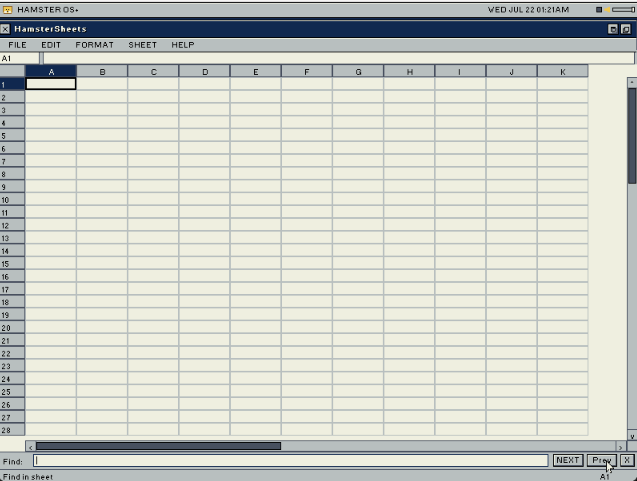
Load, Save, Save As with FAT file dialog. 4-step undo, Find and Replace, line numbers, live word and character count, Go-to-line, shared plain-text clipboard with HamsterWrite, dirty tracking, and Ctrl+S/F/Z/A/Q shortcuts.

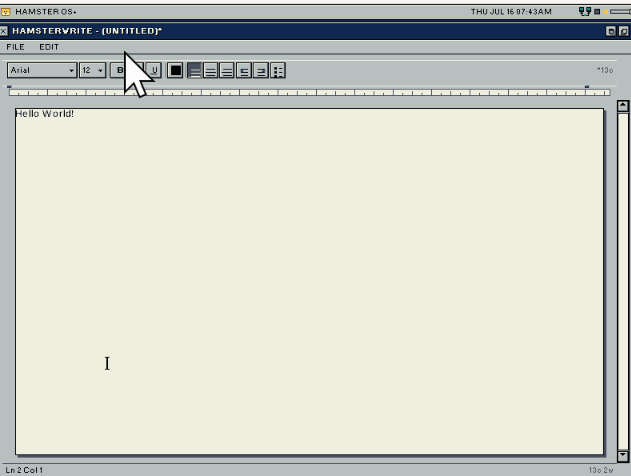
HamsterWrite

A Notepad-derived word-processor base shipped as HAMWRITE.APP. It already has load/save/save-as, dirty close confirmation, scrolling, undo, find/replace, word count, go-to-line, shared text clipboard, mouse wheel, and an I-beam cursor. Native .HWD documents are the next format target.

Help Viewer

HELP.APP opens from F1 or Hamster > Help. It reads structured HELP.HLP topics, shows an index, supports search-by-typing, clickable inline links, keyboard and mouse-wheel scrolling, and back/forward topic history.

HamsterPaint

Full-screen 16-colour BMP editor. Pencil, fill bucket, line, rectangle, ellipse, eraser, selectable regions, cut/copy/paste, Ctrl+Z undo, Ctrl+S save, and 1x/2x zoom.

Image Viewer

Standalone IMGVIEW.APP opens from the toolbar, launcher, file dialog, or file associations. Images are rendered through the VGA/EGA 16-colour desktop palette.

HamsterPiano

On-screen keyboard. When SoundBlaster 16 is detected, plays OPL3 FM notes and shows a DEMO button for The Entertainer. Falls back to PC speaker square-wave tones otherwise.

CD Audio Player

Red Book audio via Matsushita/MKE ISA CD-ROM or ATAPI. Track listing, elapsed time, play, pause, stop, and skip.

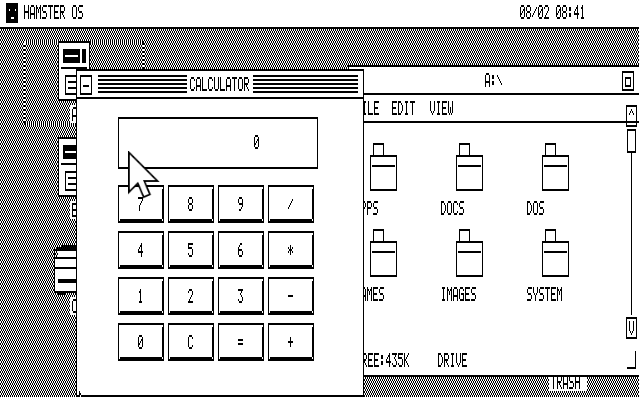
Clock, Calendar, Calculator

RTC-driven analog clock with second hand. Monthly calendar with highlighted current date. Four-function calculator.

Preferences

Control Panel tabs for Desktop, Theme, Mouse, Sound, Display, screen savers, RAM disk, shared fonts, time zone, and direct CMOS time/date editing.

Games

Native desktop games plus classic DOS titles through the in-kernel VM86 DOS path, with FreeDOS handoff fallback.

FreeCell

52-card solitaire with auto-move, multi-card run moves, and single-level undo.

Video Poker

Jacks or Better 5-card draw. Full hand evaluator, coin balance, payouts up to 800x.

Minesweeper

Left-click reveal, right-click flag, win/lose detection.

Snake

Arrow-key growth, collision, persistent top-5 scores, initials, and RTC date stamps.

Sliding Puzzle

15-tile with solved detection.

Moon Lander

Gravity, thrust, and fuel gauge.

Slot Machine

Three reels, paylines, and coin mechanics.

DOS Games

File Manager .COM/.EXE launches try the in-kernel VM86 DOS box first. The DOS toolbar opens a prompt in A:\DOS with DIR, CD, MD, RD, COPY, REN, CLS, HELP, and EXIT. Broader programs can still fall back to FreeDOS.

Storage

FAT12/16/32 read/write, ISO-9660 read-only, RAM disk, dynamic drive letters, and a full install-or-upgrade toolchain.

DriveDeviceNotes
A:Floppy 0FAT12; CMOS geometry detection (1.44 MB 3.5" or 1.2 MB 5.25")
B:Floppy 1If present; same CMOS geometry detection
C:–H:ATA hard disksUp to 6 FAT16/32 partitions across up to 2 ATA drives; floppy boot assigns C: first, HD boot keeps C: as the boot partition
I:–J:ATAPI CD-ROMUp to 2 drives; ISO-9660 and Red Book audio; MKE ISA fallback for I:
R:RAM diskAuto-enabled on >= 3 MB systems

FAT Driver

FAT12/16/32 read/write; ISO-9660 read-only. Safe overwrite writes new data before freeing old clusters. Read-back verify on writes, with bounded cluster scans and yield points for responsiveness.

Disk Copier

Sector-exact floppy copy (A→B, B→A, or A→A single-drive). Single-drive mode auto-calculates passes from available RAM. Progress bar per pass.

Format Tool

Quick FAT12 format of A: or B: with a custom volume label.

Partition Tool

View all 4 MBR partition entries. Blank the first ATA hard disk (full-sector wipe with confirmation). Create one active full-size FAT16 LBA primary partition.

Format Hard Disk

FAT16-formats the first partition on the ATA hard disk. Writes boot sector, FAT tables, and root directory. Remounts on completion.

Boot-Disk Installer

A:\INSTALL\INSTALL.BAT runs from the boot menu's Install Or Upgrade Hamster OS option. It can partition and format a blank disk, copy the OS tree, write DOS-side boot files, run FDISK /MBR and SYS C:, and update HELP.HLP on existing installs.

Storage Registry

FAT sector I/O now routes through a storage registry, so future devices such as SCSI disks can mount without rewriting the FAT layer.

SCSI Diagnostics

SCSIDIAG.APP and a probe-only NCR400.DRV target NEC T130B / NCR 53C400 ISA cards, scanning memory windows and I/O bases for real-hardware bring-up.

Sound

SoundBlaster 16 auto-detected at boot when available; PC speaker fallback always available.

SoundBlaster 16

Auto-detected at boot (probes 0x220/0x240/0x260/0x280). 8-bit unsigned mono PCM via ISA DMA channel 1, IRQ5-driven streaming in 48 KB chunks, plus OPL3 FM synthesis for HamsterPiano.

Startup Chime

Retro ascending-bell chime (/STARTUP.WAV, about 22 KB, 11025 Hz, 8-bit mono). Loaded before the desktop draws, played non-blocking, then heap-freed automatically.

Notification Doot

Small soft-bell WAV (/DOOT.WAV, about 4.8 KB, 8 kHz). Used for confirm and notification sounds and kept resident only when Wave Doot mode is active.

Volume Slider

Yellow speaker icon in the header when SB16 is detected. Eight-step slider adjusts SB16 master volume and CD audio input together. Moving the slider plays the doot as audible feedback.

Sound Preferences

Sound settings show SB16 port and IRQ status, offer a PLAY CHIME test, and let users choose Beep, Tone, Wave Doot, or None while keeping floppy-sized WAV guidance explicit.

PC Speaker

PIT channel 2 + port 0x61 gate. Beep, Tone, and None modes cover fallback hardware and quiet setups.

Hardware Drivers

VGA 640x480x16Direct register mode 12h; universal fallback
VBE 640x480x256Diagnostic/research only on real hardware; QEMU can use linear VBE, but Tandy/Cirrus needs banked-VBE support before normal exposure
VBE 800x600x256Diagnostic/research only; not exposed as the shipping desktop path
PS/2 MouseIRQ12-driven; IntelliMouse wheel packets supported when detected
Serial MouseCOM1, Microsoft 3-byte 1200-baud; auto-fallback
KeyboardIRQ1-driven; Ctrl/Shift/Alt; extended prefix handling
PITChannel 0 for pit_millis(); channel 2 for PC speaker audio
ATA IDEAll 4 positions; PIO, LBA28, cache flush
ATAPI CD-ROMAll 4 positions; MKE ISA fallback; TOC, play, pause, eject
ISA Floppy8272A FDC; 18-sector track buffer; motor batch mode
SoundBlaster 168237 DMA ch1, IRQ5, 8-bit PCM; chunked streaming
External HAMD DriversTrusted loadable .DRV binaries from /DRIVERS/ at boot, with DriverHostAPI port I/O and storage/audio/input descriptors
Device ManagerLists compiled-in and external devices, with refresh and driver detail views
Diagnostic ToolsTool Center includes Floppy Diag, CD-ROM Diag, IDE Diag, GFX Diag, SCSI Diag, Device Manager, and Partition Table Viewer

Keyboard Shortcuts

Ctrl+ZUndo
Ctrl+X / C / VCut / Copy / Paste
Ctrl+ASelect All
Ctrl+SSave
Ctrl+FFind
Ctrl+GGo to Line (Notepad)
Ctrl+RRun
Ctrl+QQuit active window
Alt+H / F / E / SOpen menu
F1Help
F4Open Notepad
Ctrl+Alt+DelOpen Task Manager
EscClose / cancel

Technical Specs

Minimum CPUIntel 386 or compatible
RAM2 MB minimum; 3 MB+ enables the RAM disk and gives the full floppy experience
DisplayVGA 640×480×16 colours (mode 12h) — shipping safe desktop
VBE modes640×480×256 and 800×600×256 exist for diagnostics/QEMU paths; real-hardware 256-colour desktop remains behind banked-VBE validation
Boot medium1.44 MB FAT12 floppy (single disk)
Hard disk installInstall Or Upgrade Hamster OS from the boot menu; can partition/format a blank ATA disk and make C: boot through FreeDOS -> HAMLOAD.EXE -> HamsterOS
FilesystemFAT12/16/32 read/write; ISO-9660 read-only; RAM disk; boot-volume /TRASH/
BootloaderHAMLOAD.EXE (DOS .EXE loader via FreeDOS wrapper)
InputPS/2 mouse with wheel support; Serial mouse fallback (COM1, 1200-baud); Keyboard (IRQ1)
External appsHAMA v1 — R_386_32 relocations, compressed .APP payloads, aliases, .ICO sidecars, and HamsterHostAPI
External driversHAMD v1 — trusted uncompressed .DRV binaries loaded from /DRIVERS/ with DriverHostAPI
DOS compatibilityVM86 DOS box first for .COM/.EXE launches and a DOS toolbar prompt in A:\DOS; FreeDOS handoff fallback for unsupported programs
Current buildMilestone 63
Target releaseNovember 2026

For Developers

Developer SDK

Build external HamsterOS apps with the HAMA app format, or write boot-time hardware drivers with the HAMD driver format.

Read the SDK docs →

Where things stand

HamsterOS is well past the “can it boot” stage. The desktop shell, all built-in apps, games, storage toolchain, SoundBlaster audio, hard-disk install flow, VM86 DOS runner, dynamic drive layout, Trash, Device Manager, Help Viewer, HamsterWrite base, shared system fonts, and external driver model are implemented. Recent work focused on VM86 trap-speed, shared fonts, dynamic ATA/CD drive validation, and the split low-memory arena. The current focus is SCSI support, real-hardware display validation, HamsterWrite document formats, installer polish, and stability before the public floppy image ships.

Targeting November 2026. Check our news feed for progress updates.