
Mean Hamster Power Engine · Free software · v2.3.7
More games for your Commodore, Atari or TI.
MPE is free software for supported cartridges. It uses the cartridge’s processor to help your original computer run more games and emulators.
Prepare your SD card and cartridge with the Windows or Mac app. Then play on your original computer. Your PC or Mac can be switched off.
Cartridge + SD card required, sold separately. Bring your own supported original games and ROMs.
Choose your computer for games, requirements and setup.
Ready to set up your cartridge?
Free · Windows v2.3.7 · Available exclusively from Mean Hamster
Mac preparation details
Windows, Apple Silicon and Intel Mac prepare the supported PrismA8+ colour Sierra adventures locally, including first use. Intel builds were checked under Rosetta; physical Intel testing remains open.
Licenses and noticesSource offer
Already using MPE? The same app now prepares supported C64, C128, Atari XL/XE and TI-99/4A setups.
This is what you can play.
Gameplay from MPE’s C64 graphics and SID sound.
- 01
Prepare on Windows or Mac
The free app checks your game files and prepares them for your cartridge.
- 02
Copy to your cartridge
Use the SD card and matching firmware for your supported hardware.
- 03
Play on your original computer
Your Commodore, Atari or TI and cartridge run the game together. No PC connection needed.
Your computer. Your games.
Choose your setup
Start with your computer, then choose its supported cartridge. Each selection shows what you need and what you can play.
What you need
Your Commodore 64 setup
- Commodore 64 + TeensyROM+ and an SD card. Hardware is required and sold separately.
- A Windows PC or Mac to prepare the files and set up the cartridge. It can be switched off while you play.
- Your own supported original game files or ROMs. MPE is free. Commercial games are not included.
Games use the C64 display and controls, with processing help from the cartridge. Each cartridge has its own game selection.
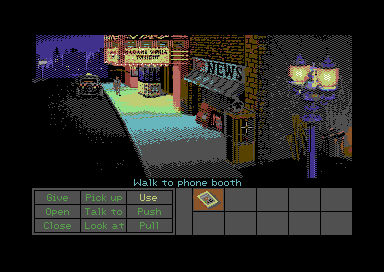
What you can play on Commodore 64
29 supported entries for TeensyROM+. Check each game’s required edition.
AGI Enhanced
14 original Sierra adventures
Game Boy
GBVM · compatible Game Boy and Game Boy Color ROMs
Game Gear
GGVM · compatible Game Gear ROMs
Apple II VM
II+ and original 128K IIe software · your own Apple firmware ROMs and disks required
NESVM
Compatible NES ROMs
Tritari
Compatible Atari 2600, 5200 and 7800 ROMs
Doom
Supported Doom shareware 1.9 WAD
Space Quest III
Supported original SCI edition
Leisure Suit Larry 2
Original DOS EGA edition
Police Quest II
Original English DOS EGA 1.002.011 edition
The Colonel's Bequest
Supported English DOS EGA edition
Loom
English DOS EGA versions 1.0 and 1.1 · experimental
The Secret of Monkey Island
Supported original edition
The Legend of Kyrandia
Original English DOS floppy edition · experimental
Indiana Jones and the Fate of Atlantis
Original game files · optional SIDKick Pico speech · experimental
Another World
Supported original Amiga edition
Dungeon Master
Original Amiga 2.0 English game files · experimental · Windows 2.1.7
Wing Commander
Original DOS game files · 40-mission Vega campaign, both endings and campaign saves
Gauntlet
Original four-player English rev 14 arcade ROM ZIP
Double Dragon
Supported World arcade ROM ZIP with HD6309 sprite board
CannonBall / OutRun
Original OutRun revision B arcade ROM ZIP
Space Harrier
Experimental: slow and needs more work · supported original arcade ROM ZIP and zoom PROM required
Might and Magic IV: Clouds of Xeen
Supported World of Xeen files · updated combat, spells and original story scenes
M.U.L.E.+
Ready to install · optional original SID opening music
ZipZork
HamsterOS Z-machine player · bring your story files
HamWrite
Optional HamsterOS word processor and spell checker
Xevious
Experimental arcade conversion · supported original ROM ZIP required
Kung-Fu Master
Experimental arcade conversion · supported original World ROM ZIP required
CoCo 3
Experimental VM · your own system ROMs, cartridges and disks required
Explore all 14 AGI Enhanced adventures
- The Black Cauldron
- Donald Duck's Playground
- Gold Rush!
- Mixed-Up Mother Goose
- King's Quest I
- King's Quest II
- King's Quest III
- King's Quest IV (AGI edition)
- Leisure Suit Larry
- Manhunter: New York
- Manhunter 2: San Francisco
- Police Quest
- Space Quest I
- Space Quest II
Original AGI editions only. The application checks the files you provide before building.
Next for TeensyROM+
Coming Soon
Monkey Island 2
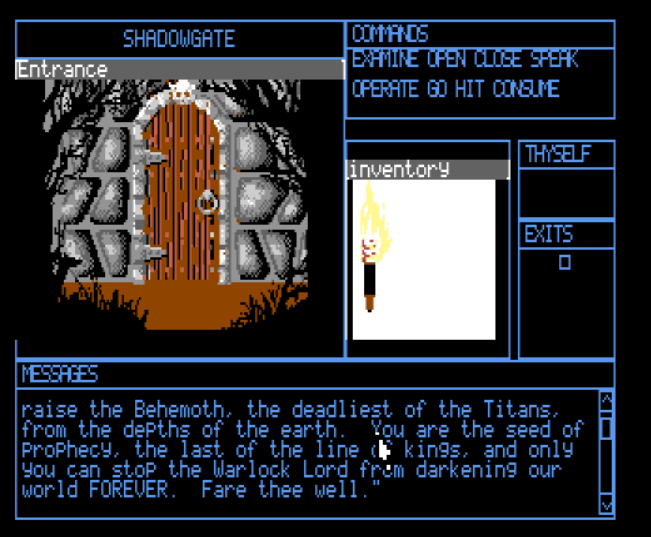
Shadowgate
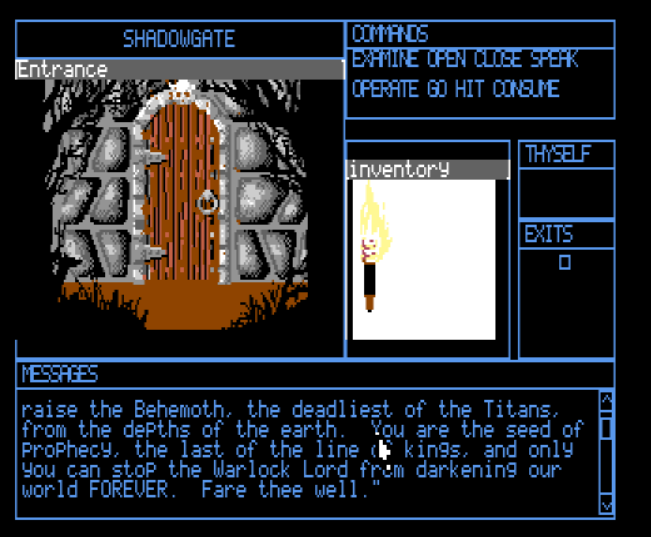
Development previews · Coming to MPE for TeensyROM+.
Availability requires the supported game edition, compatible firmware, and the matching device runtime. ROM compatibility varies; inclusion of an emulator does not mean every game for that console is supported.
Commodore 64 + RAD
A Pi-powered desktop and new games for your C64.
RAD teams your C64 with a Raspberry Pi 3A+ for MPE games, graphical HamsterOS and wireless browsing. Your C64 supplies the picture, controls and SID sound. MPE prepares the matching SD boot files, desktop and game editions, with the familiar RAD text launcher kept for recovery.
Seven MPE games and players
Prepare Space Ace, The Secret of Monkey Island, Indiana Jones and the Fate of Atlantis, OutRun, King’s Quest I, Space Quest I and Tritari. Space Ace uses your supported ReadySoft DOS CD image; Tritari plays compatible Atari 2600, 5200 and 7800 ROMs. Bring the supported original files and ROMs.
Prism+ graphics and C64 SID sound, with detected dual-SID audio and compatible SIDKick pico speech in supported games. Monkey Island is the MPE interpreter edition.
Wireless browsing, familiar controls
Use the Pi 3A+’s Wi-Fi for network access and graphical HamNet HTTP browsing, with text, pictures and links. HamsterOS keeps C64 keyboard and joystick controls, plus an optional 1351-compatible mouse in port 1. Clock settings support network time and compatible user-port clocks.
Files, archives and disk drives
Copy, move, rename and search SD files, create folders, manage Trash, and create or extract ZIP archives. Browse Drive 8 and Drive 9 through the C64’s IEC port, launch supported native PRGs and use Disk Utility for supported format, copy and image-writing operations. Drive commands depend on the attached hardware; copy documents to SD before opening them in desktop applications.
SD startup and text-menu recovery
Choose RAD in MPE and prepare its SD card. Keep the card installed: it holds RAD’s boot files, desktop and games. RAD starts directly from SD without a Raspberry Pi OS installation. The left cartridge button opens the text launcher; the right button restarts HamsterOS. Game engines load as separate MPE packages, so adding a supported game does not require rebuilding the RAD host.
TI-99/4A + PicoPEB
A desktop, wireless browsing and new games for your TI.
PicoPEB brings graphical HamsterOS to the TI-99/4A while retaining the familiar Classic text launcher. Both stay in Pico flash, so your TI can still start without an SD card. The card holds games, larger files and the Wi-Fi radio support file.
Your TI, connected
With a Pico W, connect to a 2.4 GHz wireless network and browse HTTP pages in HamNet: text, pictures, links, forms, favourites, history and SD downloads. This is HamNet Classic; modern HTTPS and JavaScript sites need a different browser.
MPE games and enhanced video
Play Doom shareware, OutRun, King’s Quest I and Space Quest I with PicoPEB’s processing help. Bring the supported original files for the commercial games. Stock TI video works; compatible F18A and Pico9918 boards add enhanced graphics. New engines arrive as separate MPE packages.
A useful everyday desktop
Use the TI keyboard and joystick or a USB mouse. Manage Internal and SD files, copy and rename documents, restore from Trash, and work with TI disk images in Disk Manager. Calculator, Calendar, Snake and local text-to-speech are built in. Network time keeps the session clock in sync.
Classic and recovery stay with you
Quit HamsterOS to return to Classic, or press Home to return to the desktop. At power-on, PicoPEB checks for a prepared local firmware update on SD. Hold Home while turning on for Classic recovery and to bypass that update. First installation uses the Pico’s BOOTSEL mode; preparing a card in MPE does not flash it.
Two free tools
MPE or Sierra Game Compiler?
Mean Hamster Power Engine
Uses the processor inside a supported cartridge to help run games and emulators on your Commodore, Atari or TI. No 16 MB REU required.
Sierra Game Compiler
Makes cartridge or disk images that run on the target computer’s own CPU. Supports selected games for C64, Atari 8-bit, ADAM, TI-99/4A and MSX2, including some non-Sierra games. Hardware requirements vary.
See Sierra Game Compiler →Can it convert any game?
No. We’ve ported specific game engines and interpreters. You supply the supported original game data; the app checks it and packages it with the engine for your hardware.
Do I flash the cartridge for every MPE game?
No. Games and their engine code load as separate .mpe packages, not as part of the cartridge firmware. Your cartridge keeps its normal supported formats too.
Are the commercial games included?
No. Both tools use your own original game files and ROMs. Some free content, including supported Doom shareware, is ready to prepare.
From your PC to your 8-bit
Prepare on your PC or Mac.
Play on your 8-bit.
The app prepares supported game files for your hardware. It also supplies the matching cartridge firmware.
Preparing the SD card and installing firmware are separate steps. Use the setup guide for your cartridge’s first installation, then prepare its supported games.
Full setup guide →- 01
Download the free app
Install the Windows or Mac version. It prepares the files; the games will run on your classic computer and cartridge.
- 02
Choose your hardware
Select the tab for your computer and cartridge, then your SD card. The app remembers your choices.
- 03
Add your original games
Choose Locate files on a game card, then Check files and Include. Use the supported game edition listed on the card.
- 04
Prepare, then play
Choose Review & Prepare, follow the cartridge setup guide, and move the prepared card to your cartridge. Turn on your Commodore or Atari to play.
More C64 gameplay and screenshots
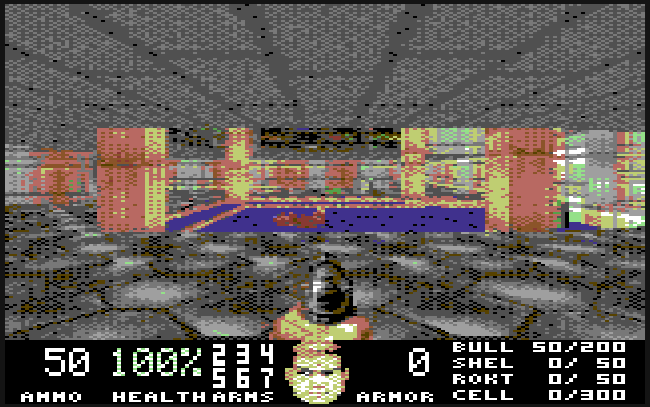
Doom
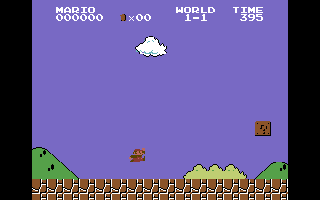
NESVM
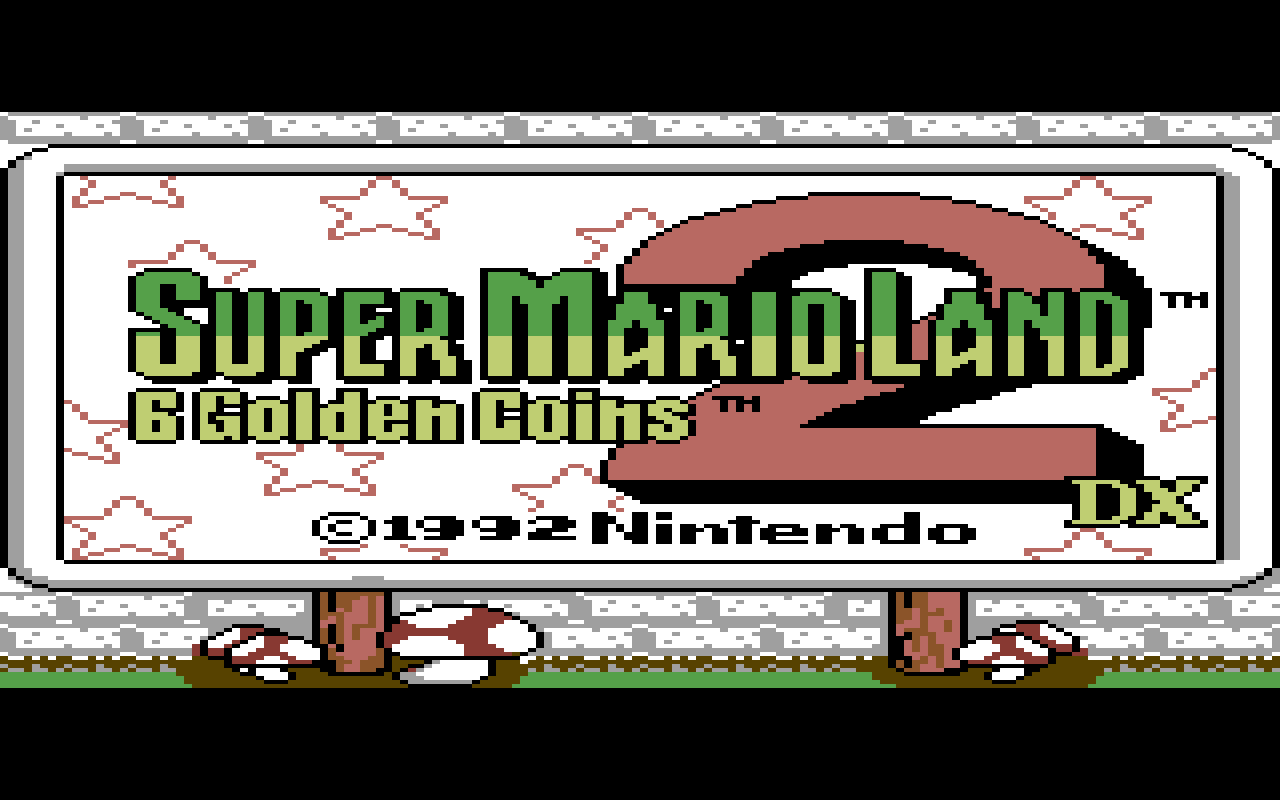
Game Boy
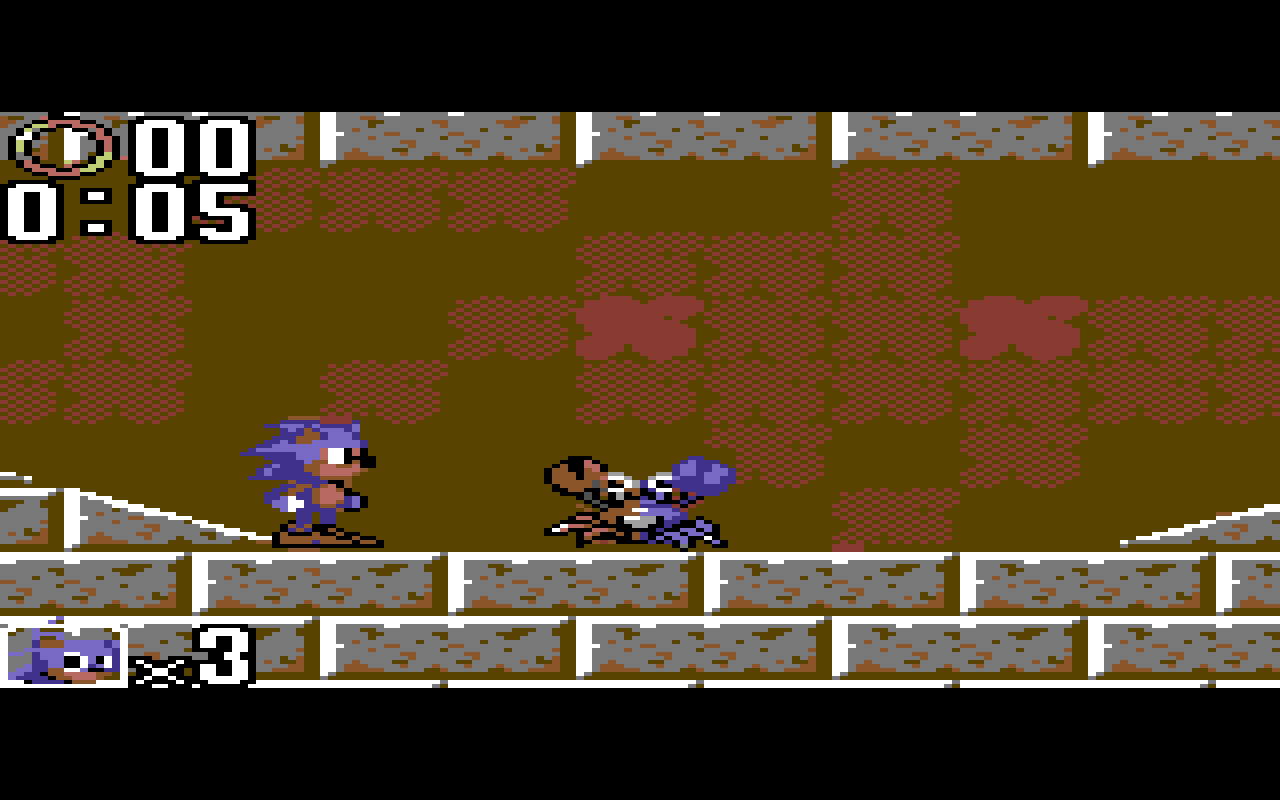
Game Gear
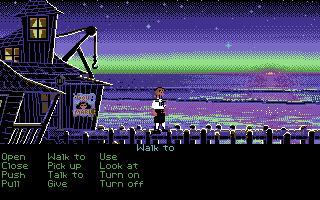
Monkey Island
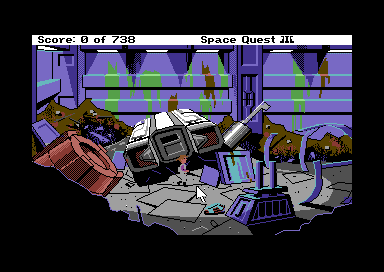
Space Quest III
A8PicoCart / Atari XL/XE
A familiar machine.
New possibilities.
An optional HamsterOS desktop GUI and all three classic Atari consoles are available for play through Tritari.
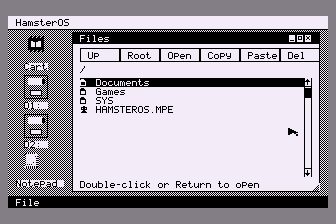
HamsterOS
Atari XL/XE desktop
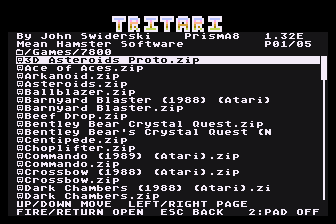
Tritari
Game selection
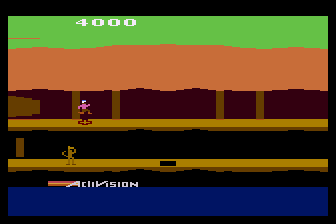
Pitfall II
Atari 2600 · Tritari
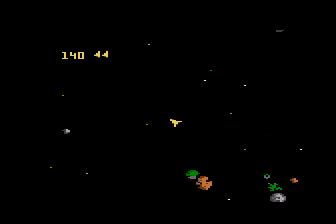
Asteroids
Atari 7800 · Tritari
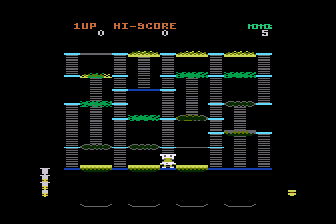
Beef Drop
Atari 7800 · Tritari
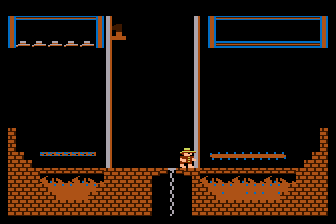
Montezuma’s Revenge
Atari 5200 · Tritari
Captured in Altirra using the release packages. Supply your own compatible ROMs; commercial games are not included.
What’s new in MPE 2.3.7
What’s new in 2.3.7
Welcome, RAD and TI-99/4A.
Two new device tabs, their own game collections, and updated Atari and C128 components.
Available for Windows, Apple Silicon Mac and Intel Mac in version 2.3.7.
- TI-99/4A + PicoPEB. Prepare Doom shareware, OutRun, King’s Quest I and Space Quest I from the new tab. Includes PicoPEB 0.8.19 and HamsterOS 0.4.4, resident HamsterOS and Classic for cardless startup, Wi-Fi HamNet, desktop tools and supported F18A/Pico9918 enhancements. Games and the Wi-Fi support file stay on SD.
- RAD for C64. Prepare Space Ace, The Secret of Monkey Island, Indiana Jones and the Fate of Atlantis, OutRun, King’s Quest I, Space Quest I and Tritari. Includes matching RAD boot files, HamsterOS and text-menu recovery. Supply your supported original games and ROMs.
- Space Ace for RAD. Original attract movie, timed joystick choices and death/retry clips with multicolor video and sound. Locate the supported ReadySoft DOS CD image; MPE prepares it locally.
- A8Pico Solo and Duo. Updated Doom and scanline-color OutRun with the arcade HUD, PAL correction and Sophia detection, plus matching firmware 1.6.38.
- C128 OutRun. Updated chunky display edition. The ordinary TeensyROM+ C64 OutRun edition stays at the previous release.
Retained from 2.3.6
More games for your cartridge.
- Xevious for TeensyROM+. Experimental arcade conversion with startup and lettering repairs, two-button controls and a gameplay screenshot. Supply the supported original ROM ZIP.
- Kung-Fu Master. Experimental versions for TeensyROM+, Kung Fu Flash 2, A8PicoCart and A8PicoDuo, with the qualified HUD and audio improvements. Supply the supported original World ROM ZIP.
- The Colonel’s Bequest for KFF2. Joins the TeensyROM+ edition. Matching KFF2 firmware 2.32 is supplied.
- CoCo 3 for TeensyROM+. File browsing, writable disks and SID sound approximation, with reduced disk and display work. Supply your own system ROMs, cartridges and disks.
- C128 OutRun. Finer colour detail, full-width scenery and repaired dirty tiles.
- Hamster Update for Teensy C64 mode. Available at Sys/UPDATER.MPE, with cursor, Ethernet-session, version/progress and idle-packet repairs.
- A8Pico Solo and Duo firmware 1.6.37. More reliable selector requests and directory replies, plus Duo startup diagnostics.
Retained from 2.3.5
The C128 collection and earlier improvements.
- Teensy ROM + C128. A new app tab with special VDC versions of HamsterOS128, OutRun, Might and Magic IV: Clouds of Xeen, Space Quest I and King’s Quest I, each with its own screenshot. Requires 64 KB VDC RAM and an RGBI display. You can also enjoy the C64 software on your C128 in C64 mode through the ordinary TeensyROM+ tab.
- Space Harrier for TeensyROM+. Experimental: Space Harrier is slow and needs more work. Includes a high-resolution HUD, FPS counter and single/dual SID sound. Supply your own supported arcade ROM ZIP and zoom PROM.
- Apple II VM colours. Corrected high-resolution colours on TeensyROM+ and Kung Fu Flash 2, with automatic PAL/NTSC detection and further KFF2 CPU/rendering improvements.
- OutRun and Double Dragon. Optimized Teensy OutRun rendering preserves graphics and audio. Double Dragon preparation accepts supported flat and merged ROM ZIP layouts.
- A8Pico firmware 1.6.35. 4MB CAR support updates and Duo startup improvements.
- Matching Teensy firmware. C128 startup compatibility improvements in 1.4.19, plus the separate 1.4.20 RGBI firmware option for the C128 VDC library.
Retained from 2.3.4
A smoother cartridge experience.
Startup, storage and game improvements retained in this release.
- Apple II VM on Kung Fu Flash 2. Repairs the false F0 startup error, reduces disk-read pauses, coalesces idle input reports and improves the Apple screen and startup beep ordering. Install supplied KFF2 firmware 2.31 for the disk-read flashing fix. Your own Apple ROMs and disks are required.
- Mac SD card refresh. Newly mounted storage is checked without restarting MPE. Removable and ejectable SD volumes are accepted even when a built-in reader is labeled Internal.
- HamsterOS and A8Pico firmware. Updated About information on C64 and Atari, empty KFF2 storage entries hidden, and matching Solo/Duo firmware 1.6.20 with a startup diagnostic record for support.
- Monkey Island MPE on Atari. Buffered scrolling, clearer SCUMM BAR lettering and suggested-action double click, with following clicks returning to Walk. The A8PicoCart and A8PicoDuo editions remain highly experimental.
- Another World. Updated sound mixing and controls on TeensyROM+ and Kung Fu Flash 2, with automatic single-SID fallback.
- Fresh factory setup. The separate factory bundle includes an eraser. Fully erase and verify each Pico before installing its matching factory image; Duo needs this on both Picos. Routine firmware updates retain your files.
Retained from 2.3.3
More from your cartridge.
New Atari hardware controls, matching firmware and game updates.
Available for Windows, Apple Silicon Mac and Intel Mac since version 2.3.3.
- HamsterOS 0.7.14 for Solo and Duo. FujiNet/HamNet Wi-Fi and disk controls, U1MB clock settings and a Sophia 3 preview with Keep or Revert.
- Matching A8Pico firmware 1.6.19. Updated A8PicoCart and both A8PicoDuo libraries support the new hardware controls, retaining the accepted storage-copy and startup repairs. SELECT at power-on opens the text selector; 4 MiB Type 63 cartridges regain support with faster ROM reads, World’s Hardest Game startup is repaired, and the handoff from MPE to native cartridges is improved.
- Monkey Island for A8PicoCart and A8PicoDuo. The existing highly experimental MPE edition gains Prisma8+ graphics and Sophia support, with repaired startup display and LucasArts logo timing.
- OutRun for A8PicoCart and A8PicoDuo. Automatic PAL presentation, optional Sophia 3 output, an arcade high-resolution HUD and repaired display-band flashing.
- Kyrandia and Clouds of Xeen. Improved colours and shading on TeensyROM+ and Kung Fu Flash 2.
- Dungeon Master. The hero bar follows party formation and empty positions. Character identity and existing saves are retained. TeensyROM+ support remains experimental. Native preparation is repaired on Apple Silicon and Intel Mac.
Retained from 2.3.2
Choosing files, made easier.
More reliable file and folder selection, especially on Mac.
Available for Windows, Apple Silicon Mac and Intel Mac since version 2.3.2.
- The right selection window. File and folder pickers stay with the correct app window. Your selection is handled after the picker closes.
- Cancel and retry. Cancel a selection and open it again without getting stuck. Selection errors show a clear message.
- The same collection. Qualified games, VMs, HamsterOS, firmware and the MHS picture fitter are retained from 2.3.1.
Retained from 2.3.1
Prisma8+, now our own.
Our own picture processing for the six existing A8PicoCart and A8PicoDuo colour Sierra adventures.
Available for Windows, Apple Silicon Mac and Intel Mac since version 2.3.1.
- MHS picture fitter. Independently developed Prisma8+ colour fitting replaces the external image converter. Pictures are prepared locally without downloading another fitter.
- First use on every desktop version. Prepare the supported colour Sierra adventures on Windows, Apple Silicon Mac or Intel Mac. No second computer is needed.
- The same adventures. New fitted graphics retain the qualified game engines, controls, sound, original-edition checks and save identities. The existing compressed picture-bank format is retained.
- Your library stays familiar. The shared white interface, remembered selections, Included sorting, cancellation, completed reports and visible Buy Me a Coffee button remain included.
Retained from 2.3.0: your games, a simpler library.
Platform tabs and screenshot cards keep each collection easy to browse. Check files validates originals, Include or Remove saves immediately, and review shows approximate game sizes and storage before and after preparing. Cancel stops active work, completed outputs are kept, and failures offer View log.
Also in your MPE collection
Monkey Island on Atari — Highly Experimental.
Wing Commander retains its complete 40-mission Vega campaign, both endings and campaign saves. Apple II VM is available on TeensyROM+ and Kung Fu Flash 2. Your own Apple firmware ROMs are required to run and are not included; provide your own disks.
- Doom for A8PicoDuo. A special version of the included shareware episode.
- A8PicoDuo games and setup. Special OutRun, Double Dragon and Gauntlet versions remain available alongside Tritari and Game Gear VM. Install both supplied matching full Library A and Library B firmware images through BOOTSEL once, following the setup guide.
- Visible application updates. Check for updates / Install update stays in the top bar between Scan and Help.
- Dungeon Master for TeensyROM+. Experimental support for the original Amiga 2.0 English edition. Supply GRAPHICS.DAT and DUNGEON.DAT from an extracted folder or supported OFS .ADF image.
- Retained A8PicoCart setup. A8PicoCart firmware 1.5.6 startup repair needs one full BOOTSEL UF2 installation; ordinary runtime updates cannot install the protected repair. Pico-powered HamsterOS 0.7.13 retains Disk Utility with Verify after writing, enabled by default. Major Atari XE compatibility upgrade and long-path extraction failure repairs remain included.
- DOOM for A8PicoCart. The shareware episode is included as a self-contained Atari package. Choose it in MPE and prepare your cartridge; no original game folder is required.
- OutRun on Teensy. Steering and Fire respond correctly in the music selector, with the Prism+ picture and SID music retained.
- Double Dragon on Teensy. The full arcade view combines multicolor action with a high-resolution HUD, black panels and border, and an FPS meter. Fire starts player one after adding a coin and remains the kick button during play. Presentation targets 15 FPS while SID music follows its own clock.
- Tritari on Atari. V1.33E automatically recognizes Genesis B/C controls, including direct ROM launches. B provides the normal fire button; C provides a second button in compatible 5200 and 7800 games. No enable keys are needed.
- Tritari on C64. V1.34 retains the black game selector, updated regional colors, controls and audio repairs, with corrected Adventure NTSC gold-castle gate alignment and exit on Teensy.
- C64 Disk Utility. HamsterOS on the custom Teensy GUI firmware and KFF2 adds Format, Disk Copy and Write Image for compatible 1541, 1571 and 1581 drives. Write D64, D71 and D81 images with track progress, readback and confirmation before erasing a disk.
- Teensy SD2IEC copying and mounting. Copying from SD2IEC folders no longer stalls. File > Mount, the context menu or Ctrl+M opens a D64, D71 or D81 image in Files; double-click keeps its launch action.
- Automatic A8Pico firmware updates. After completing the one-time BOOTSEL installation, use MPE’s compatible USB updater or copy the complete supplied
FIRMWARE.UPDto the cartridge drive’s root. For a manual update, safely eject it, disconnect USB and turn on your Atari. Keep power on until completion. Connecting the cartridge to a PC alone does not run a manual update. - Leisure Suit Larry on Atari. The supported original DOS 1.00 edition retains PrismA8 graphics, resident POKEY music and the reviewed trivia bypass. The AGI mouse-click repair keeps a clicked walking destination active.
- High-resolution Atari AGI menus and dialogs. The six supported Sierra games use clear IBM/PCjr text with PrismA8+ colors and a resident POKEY music player. Updated movement pacing, caching and Atari control labels improve the experience.
- Another LOOM edition. English DOS EGA versions 1.0 and 1.1 remain supported on each device tab. Resource validation identifies the file when its size or checksum is incorrect.
- Retained compatibility and setup repairs. Bounty Bob’s 5200 banking, 1942’s 7800 banking, Atari text readability, Commodore file-selection ranges and A8Pico storage reclaim remain included. Original-file selection shows the resources being located. A8Pico drive choices remove the 1–16 MB/FAT restriction; setup copies files without formatting. Ordinary Atari arrow keys work without Control in the updated clients. Existing long-path extraction failure and display-scaling repairs are retained.
Compatibility varies by game, original edition and hardware.
GameGearVM on Atari: Hardware speed and sound are still a work in progress (but Sonic 2’s “Sega!” speech works!). No save functionality.
A different way to draw the classics.
Prism+ combines C64 display techniques with cartridge processing to bring supported games to a 320 × 200 image. PrismA8 serves the Atari editions. Resolution and presentation vary by game and machine; high-resolution text is also available in native Sierra Game Compiler games.
Your desktop, your choice
HamsterOS for MPE is optional.
Choose Include HamsterOS desktop for a graphical home on your C64 or Atari XL/XE. Compatible games can also launch without it. The app keeps your firmware choice and desktop preference with each device.
This is the MPE desktop. HamsterOS for PCs is a separate operating system with its own applications and disk images.
On A8Pico, games and the desktop are installed as packages alongside the generic firmware. The C64 SID player supports mono and stereo PSID files; MUS/STR playback has been removed.
Both custom and stock TeensyROM+ firmware and KFF2 now open compatible .nes, .gb, .gbc, .gg, .a26, .a52 and .a78 files with the matched players. Install the supplied MPE.TRH host once on Teensy and fully power-cycle the cartridge.
Built to grow
Keep your collection current.
New game support, runtime improvements, and desktop updates come through the same application. Your remembered game locations and separate device settings stay with you between application updates.
Firmware files are prepared for installation on the selected cartridge. Follow the device’s installation instructions to complete a firmware update.
If you are a developer interested in developing or porting a game to the Mean Hamster Power Engine, get in touch!